
FOR PARTICIPANTS
A lower-friction way in
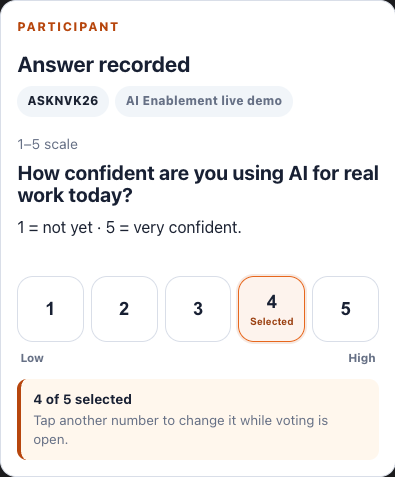
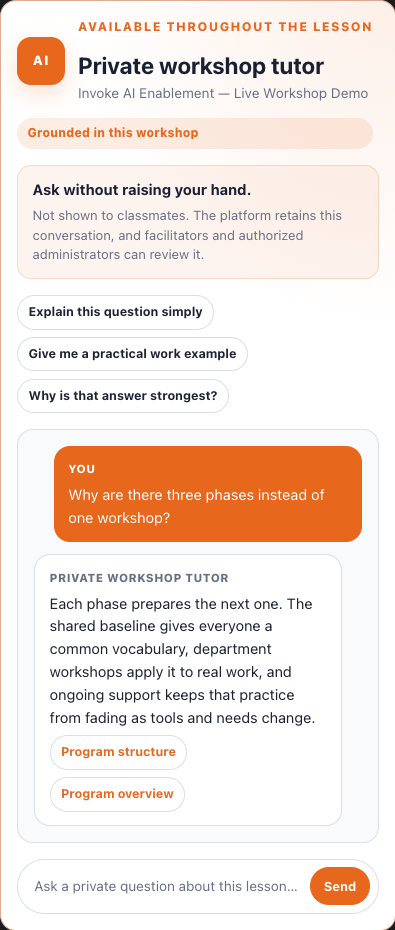
Respond from a phone, change an answer while the question is open, and ask for private help without addressing the whole room.
THE LIVE LEARNING LAYER
Quick responses show where the room needs to focus. Private, lesson-grounded help gives participants another way to keep moving.
FROM PHONE TO ROOM
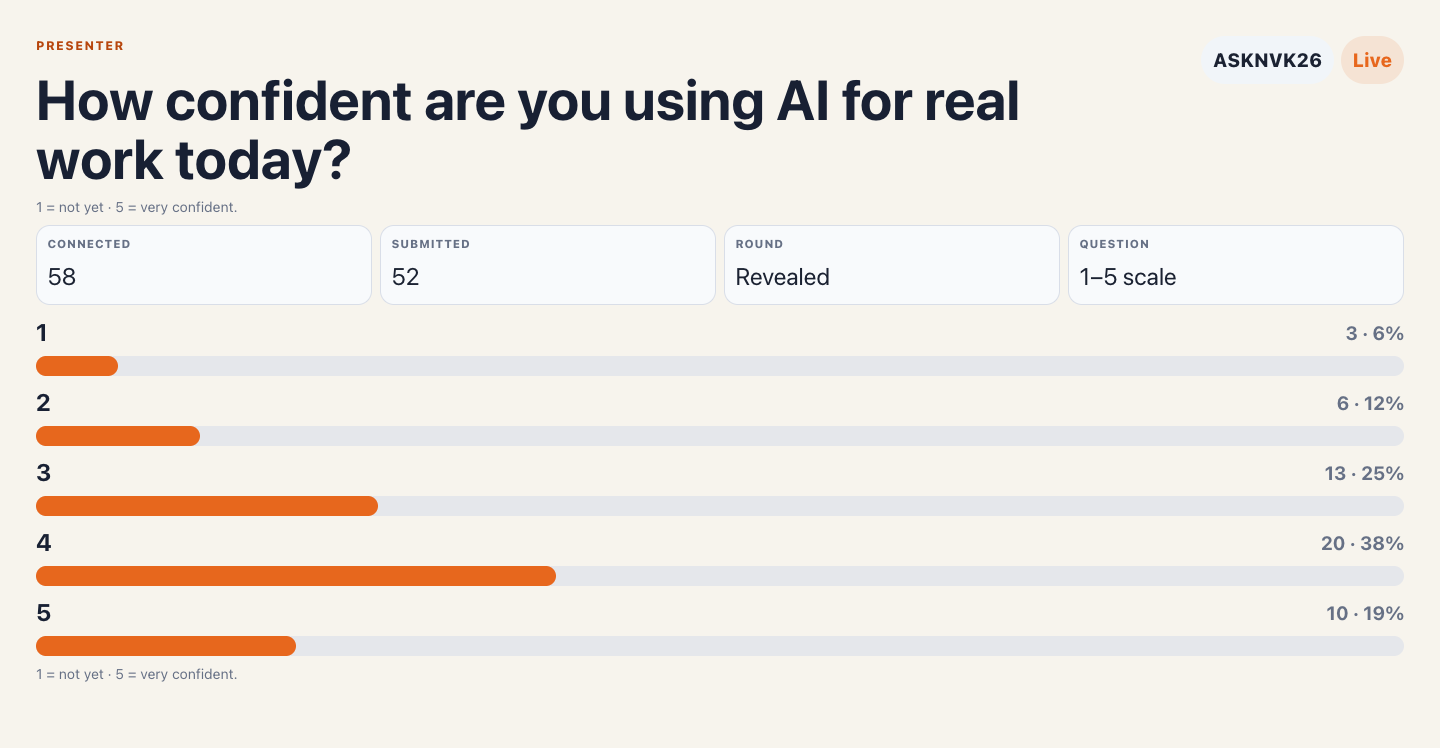
Participants respond in one tap. The facilitator controls when the aggregate is revealed, then uses the shape of the room to focus discussion.
THE WORKSHOP FLOW
The technology stays in service of the facilitator, the lesson, and the conversation in the room.
Scan the stable QR or enter the short code.
Answer in one tap and update while voting is open.
Use the private tutor for lesson-grounded help.
Show the aggregate when the facilitator is ready.
Use learning signals to plan the next teaching move.
FOR PARTICIPANTS
Respond from a phone, change an answer while the question is open, and ask for private help without addressing the whole room.
FOR FACILITATORS
Hold the reveal, compare the distribution, and spend discussion time where understanding is uneven.
FOR PROGRAM LEADS
Retain session evidence for authorized follow-up and connect it to the wider evidence plan.
PRIVATE HELP, SHARED CONTEXT
The tutor answers from approved lesson material and the current delivery context. Suggested starters help when someone knows they are stuck but not how to phrase the question.
THE PARTICIPATION BOUNDARY
The platform retains the tutor conversation and its grounding context. Facilitators and authorized administrators can review it for program follow-through. The public demonstration shown here contains only synthetic, client-neutral content.
WHAT THE SIGNAL CAN DO
A live response is most valuable when it changes the teaching move that follows.
BRING THE ROOM INTO VIEW
We’ll shape the live learning layer around the audience, delivery context, and evidence plan.